Dear hemmy,If you buy VPS at lowest or Cheapest Best VPS.www.socialvps.net I think social VPS is also cheapest but very good service.bro can u suggest me where to buy vps
Last edited by a moderator:

Dear hemmy,If you buy VPS at lowest or Cheapest Best VPS.www.socialvps.net I think social VPS is also cheapest but very good service.bro can u suggest me where to buy vps
Dear hemmy,If you buy VPS at lowest or Cheapest Best VPS.www.socialvps.net or www.fxsvps.com/net.I think social VPS is also cheapest but very good service.
Hi Majidlvio,mr tanaka can you make EA with this indicator?
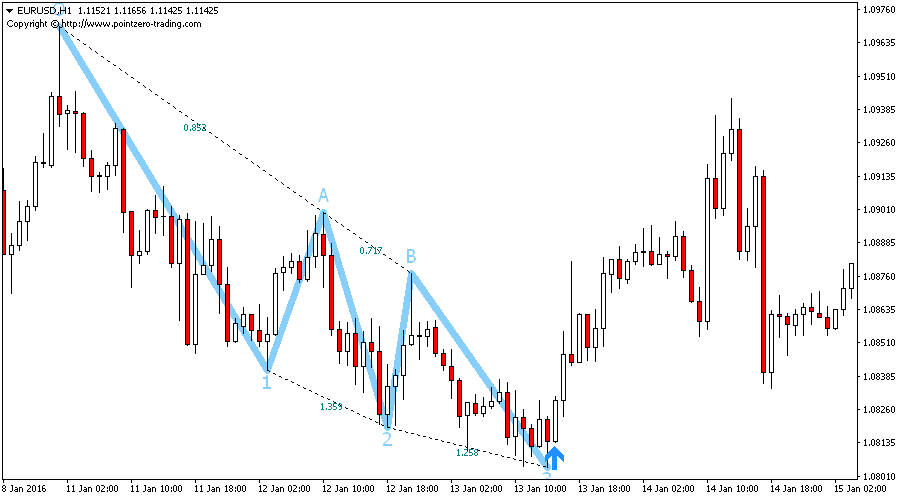
Three Drives 6.0
Metatrader Indicator (MT4/MT5)
Screenshots
- Overview
The Three Drives pattern is a 6-point reversal pattern characterised by a series of higher highs or lower lows that complete at a 127% or 161.8% Fibonacci extension. It signals that the market is exhausted and a reversal can happen.Three Drives patterns can expand/repaint quite a bit. To make things easier this indicator implements a twist: it waits for a donchian breakout in the right direction before signaling the trade. The end result is an otherwise repainting indicator with a very reliable trading signal.
- Find three drives patterns easily
- Learn the basics of harmonacci patterns
- Useful to find cheap and expensive zones
- Customizable 1-2-3 and 0-A-B ratios (for purists)
- It implements visual/sound/push/mail alerts
- Bullish retracements are blue
- Bearish retracements are red
- The breakout period for the trade is customizabl

Maybe because RSI signal is not matched.... You can put RSI indicator on the chart to see. (period=14)
Hi Mr TANAKA San please,I am trying to code your idea.
View attachment 74231
I used trailing stop for attack martin, which is additional orders for ARROW SELL signal.
View attachment 74232
You can control attack martin orders by trailing stop (not by xx pips). I deleted xx pips attack, instead you can control orders with trailing.
You can select opposite signal close =TRUE if you want, but the result is not good...
Hi Mr TANAKA San please,I am trying to code your idea.
View attachment 74231
I used trailing stop for attack martin, which is additional orders for ARROW SELL signal.
View attachment 74232
You can control attack martin orders by trailing stop (not by xx pips). I deleted xx pips attack, instead you can control orders with trailing.
You can select opposite signal close =TRUE if you want, but the result is not good...
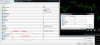
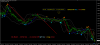
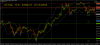
Mr TANAKA san,I am trying to code your idea.
View attachment 74231
I used trailing stop for attack martin, which is additional orders for ARROW SELL signal.
View attachment 74232
You can control attack martin orders by trailing stop (not by xx pips). I deleted xx pips attack, instead you can control orders with trailing.
You can select opposite signal close =TRUE if you want, but the result is not good...
Hello Mr Tanaka,Saidi
MT-1 at account-1, you put total 9 charts. (9 EA)
So, please set like this.
For TF-M1 chart, put magic 101, then basket close magic =101,102,103.201,202,203,301,302,304
For TF-M1 chart, put magic 102, then basket close magic =101,102,103.201,202,203,301,302,304
For TF-M1 chart, put magic 103, then basket close magic =101,102,103.201,202,203,301,302,304
For TF-M5 chart, put magic 201, then basket close magic =101,102,103.201,202,203,301,302,304
For TF-M5 chart, put magic 202, then basket close magic =101,102,103.201,202,203,301,302,304
For TF-M5 chart, put magic 203, then basket close magic =101,102,103.201,202,203,301,302,304
For TF-M15 chart, put magic 301, then basket close magic =101,102,103.201,202,203,301,302,304
For TF-M15chart, put magic 302, then basket close magic =101,102,103.201,202,203,301,302,304
For TF-M15 chart, put magic 304, then basket close magic =101,102,103.201,202,203,301,302,304
EA will read basket close magic =101,102,103.201,202,203,301,302,304 and close these.
Don't use the same magic number in MT2, otherwise EA (MT-1) will close MT-2 orders..

Mr Tanaka,
Can you please make an EA from the following indicators
Order signal from the indicator ProfitableStrategy_5.
The other two indicators should be usable as filters. We should be able to choose whether we want to use one of these two filters, or both, or none of them.
If we use both, then for example a buy order will be PS_5 (Green), DDFX(blue), PS_13(Buy>50%)
Use your latest tamplate and put the parameters of two indicators (PS_5, DDFX) inside the EA
Thanks
Mr Tanaka,
Can you please make an EA from the following indicators
Order signal from the indicator ProfitableStrategy_5.
The other two indicators should be usable as filters. We should be able to choose whether we want to use one of these two filters, or both, or none of them.
If we use both, then for example a buy order will be PS_5 (Green), DDFX(blue), PS_13(Buy>50%)
Use your latest tamplate and put the parameters of two indicators (PS_5, DDFX) inside the EA
Thanks
ON ONE CLICK TRADING, i nope have a problem with thatHello Mr Tanaka,
why do not I close any of the open orders, Thank you very much for your help?

RevC is special version as I was requested.Mr TANAKA san,
The problem is the attack Martin in this one cannot be fully closed after profit reached(the last few orders may remained there and would continue to be there until another grid is built up and more new Martin orders will be remained unclosed after profit, and cause big DD
Kindly advise that to add the function so that we can close the grid down after trend indicator changes direction, as I mentioned above,
or set specific sl for the whole grid in either buy or sell direction(which in the Rev C version seemed unable to be performed, as I open sl, the wonderful attack Martin will not place additional orders.)(and all these functions yet not given in the rev D version of fxnuke, especially your wonderful work of attack Martin)
Also I think to allow change of the attack Martin's order pip distance will be great to use in backtesting
Thank u so much!
Hope we together can help to make a holy grail out of these!
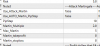
But wouldn't revD be opening in the opposite direction?RevC is special version as I was requested.
You can use RevD for attack martin.
Also attack martin has tp/sl if you want.
View attachment 74780
instead of the same directionRevC is special version as I was requested.
You can use RevD for attack martin.
Also attack martin has tp/sl if you want.
View attachment 74780
Yes, Opposite close=TRUE.But wouldn't revD be opening in the opposite direction?