• Welcome back! Thank you for being a part of this Traders Community. Let's discuss and share :)
    Selamat datang kembali! Trimakasih telah menjadi bagian dari Komunitas Trader ini. Mari berdiskusi dan berbagi :)

Suggestion I will make a Free EA with your Indicator

in default settings Attack martingale TRUE any stop loss working to protect or no stop loss (EA_BSTrend(revC).ex4 )
i like to stop loss for every orders
 
Dear Bro Tanaka please i want one modify my Renko pure candle auto-trading EA by Steve HopwoodEa,In the second candle took the order ,close in the reverse candle .
But i want modify & add
TARGET BANDS indicator .
Please tell me if there are doubts.
after cross TARGET BANDS line Entry conformation then Line below sencond candle ENTRY.
Reverse Line cross close previous order then Line below second box reverse Entry
*************************************************************************************************
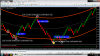
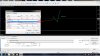
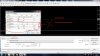
on screen settings: buy lot .80(orders 4 & $+40) - Sell lot .35( orders 2& -20) = running .45( +$20 running)


PLg bro remember my request


i dont want no more options plg


upload_2019-4-11_11-4-39.png
 

Attachments

Nopes Tanaka San, I don't use reverse, I send previously set file, u can try FT, let's see if it happens to u or not.

Disturbance in trades happens with all ea's after relaunching, u can my result, most of the trades are very close both orders and martingale, I think it is manipulated by broker, anyways I'm still happy, don't worry :););):p:p:p

no, it is not manipulated by broker, i have tested in two brokers, for zaman martinggale, the EA behave the same after lot 0.20, it will add new order very close
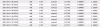
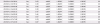
just try it with initial lot 0.20 you will see it create many order very close,

upload_2019-4-11_13-17-42.png

upload_2019-4-11_13-9-36.png
 

Attachments

  • upload_2019-4-11_13-9-36.png
    upload_2019-4-11_13-9-36.png
    11.2 KB · Views: 869
  • upload_2019-4-11_13-14-58.png
    upload_2019-4-11_13-14-58.png
    7.2 KB · Views: 36
  • upload_2019-4-11_13-17-8.png
    upload_2019-4-11_13-17-8.png
    17.8 KB · Views: 37
  • upload_2019-4-11_13-17-42.png
    upload_2019-4-11_13-17-42.png
    10.6 KB · Views: 870
Dear Bro Tanaka please i want one modify my Renko pure candle auto-trading EA by Steve HopwoodEa,In the second candle took the order ,close in the reverse candle .
But i want modify & add
TARGET BANDS indicator .
Please tell me if there are doubts.
after cross TARGET BANDS line Entry conformation then Line below sencond candle ENTRY.
Reverse Line cross close previous order then Line below second box reverse Entry
*************************************************************************************************
on screen settings: buy lot .80(orders 4 & $+40) - Sell lot .35( orders 2& -20) = running .45( +$20 running)


PLg bro remember my request


i dont want no more options plg


View attachment 79698
Dear BRo can you modify to me plg answer?
 
I have not finished all.....


tanaka the EA Hma + force index, EA hma + vq rev9 are not working properly. EA hma + force index only sells EA hma + vq only buys. I would like you to return to their original order entry because "buy and sell, sell, buy" only damaged the expert, since it was placed never worked well.
 

Attachments

  • excluded mode.jpg
    excluded mode.jpg
    268.1 KB · Views: 43
  • correct mode.jpg
    correct mode.jpg
    278.3 KB · Views: 40
  • include hma as normal filter.jpg
    include hma as normal filter.jpg
    291.9 KB · Views: 38
  • EA_HMA&FORCE(revC).ex4
    EA_HMA&FORCE(revC).ex4
    217.1 KB · Views: 14
  • EA_HMA&VQ(revA9).ex4
    EA_HMA&VQ(revA9).ex4
    280 KB · Views: 20
Sorry, please discuss with Ahmad and let us focus on the profitable one.

master tanaka the fiji trend revF and geo crossover revC works correctly in "buy and sell, sell, buy" mode. but the EA HMA + force index revc and hma + vq rev9 do not work correctly. could arrange or put in the simple mode of trade.

master tanaka the fiji trend fiji just missing multiplier pip, could correct these problems?
gratefull
 
Last edited:
http://www.myfxbook.com/members/parvozmc/fxmax-s34/3255672
http://www.myfxbook.com/members/parvozmc/status-platinum-ea/3223560
http://www.myfxbook.com/members/parvozmc/status-silver-ea/3223552
http://www.myfxbook.com/members/parvozmc/uzbcorona-s34/3264926
http://www.myfxbook.com/members/parvozmc/uzbcorona-n36/3261418
http://www.myfxbook.com/members/parvozmc/uzbcorona-o63/3268765
http://www.myfxbook.com/members/parvozmc/fxmax-g60/3248436
http://www.myfxbook.com/members/parvozmc/fxmax-n105/3248431
http://www.myfxbook.com/members/parvozmc/fxmax-k6/3258941
From 2010 to 2019, the test results were good (Tickstory 99.90% of the modeling quality).
It works in 28 pairs.

This EA does the same thing.
But I did not try it. Because my computer is slow.
If you try it out, use it. This is also useful EA. If you can not test, check your demo account. Put the result here. I have to see this also.

I did not try it. If your computer is running fast, try it out.
TimeFrame H1. Set file current.
GBPUSD, EURUSD, EURUSD, GBPUS, GBPNZD, NZDCAD, GBPUSD, USDJPY, AUDUSD, EURCHF, EURGBP, EURJPY, GBPCAD, GBPJPY, NZDUSD, USDCAD, USDCHF, AUDCAD, AUDCHF, AUDNZD, AUDJPY, CADCHF, CHFJPY, NZDCHF, NZDJPY, XAUUSD.

I wish you good luck.
Thx any expired i can use real account
 
in default settings Attack martingale TRUE any stop loss working to protect or no stop loss (EA_BSTrend(revC).ex4 )
i like to stop loss for every orders
Yes, you can put stoploss if you want.

Below is stoploss for indicator signal order.
upload_2019-4-11_18-58-47.png

Below is stoploss for attack martingale order.
upload_2019-4-11_18-59-41.png


See below stoploss
upload_2019-4-11_19-0-32.png
 

Attachments

  • upload_2019-4-11_18-58-47.png
    upload_2019-4-11_18-58-47.png
    2.6 KB · Views: 882
  • upload_2019-4-11_18-59-41.png
    upload_2019-4-11_18-59-41.png
    2.4 KB · Views: 878
  • upload_2019-4-11_19-0-32.png
    upload_2019-4-11_19-0-32.png
    12.9 KB · Views: 885
Tanaka , Ahmad is right, the EA ... your BS TRend new one... open in the REAL Trading always two trades.. one sell one buy simultany, there must be an error... because if you put max order 1... he has to take SELL or BUY and not two simultany in two different trends.. or I'm wrong?

I think in the code is this error:

max order 1 , but your code is looking for each trend if one trade is already opened... but we want max order 1 that is for all trends :) to prevent hedging ;)
 
Hello Tanaka, please assist me in this one off and only request i have made here about the Asia scalper pro modifications. Its very profitable and it will be an added asset to this forum. I am using it now, but I want to test for better results with filters. Spread, News, Volatility and reversal mode. Thanks, coffee will be sent.
 
Back
Top