- Credits
- 21
It was repaint.Trend reversal looks really good..View attachment 144794
Please see this.
https://streamable.com/c697ih
But if you use martingale, it is good EA.
Please copy the indicator in your MT4.
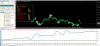

It was repaint.Trend reversal looks really good..View attachment 144794
Thank you Mr Tanaka, this is extremely helpful!If you switch to indicator and do a backtest in everytick mode, you can know if it is repaint or not.
View attachment 144801

Thank you Mr Tanaka, this is extremely helpful!

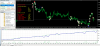
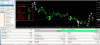
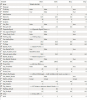
RepaintsTrend reversal looks really good..View attachment 144794

Hello MasterYou do not need to attach it but it is better if you attach the indicator to find out the line -color for EA setting.
Hello Master,You do not need to attach it but it is better if you attach the indicator to find out the line -color for EA setting.
Hi Mr Tanaka,
Could I please request for the following indicators to be turned into EA's. Thanking you in advance. View attachment 144786 View attachment 144788 View attachment 144790 View attachment 144792
Dear Tanaka pls convert this strategy into EA. It went from 60% profitable to 100% by combining indicators.

Very good EA!
View attachment 144710
View attachment 144711
You can change buy/sell entry line of color.
It changes depends on currency pairs.
For example, EURUSD
Buy color is blue.
Sell color is red.
View attachment 144712[/QUOTE
Mr Tanaka, can you please present setfile for this ea test result?
Can you get indicator (MT4 ) for MACD cross and Willy ?Dear Tanaka pls convert this strategy into EA. It went from 60% profitable to 100% by combining indicators.
Hello Master,Very good EA!
View attachment 144710
View attachment 144711
You can change buy/sell entry line of color.
It changes depends on currency pairs.
For example, EURUSD
Buy color is blue.
Sell color is red.
View attachment 144712
Here it is.Hello Master,
Is there any possibility to add RSI filter to avoid false crossovers in the range market,like buy crossover RSI must be above 60 or 65 and sell crossover RSI below 40 or 35.
i am attaching the images to illustrate in detail
Thanks for the help and support

Thank you Master i will FT and let you know the resultsHere it is.
Hi Tanaka thank you for looking into it.I've attached two files. Please seeCan you get indicator (MT4 ) for MACD cross and Willy ?
This williams indicator is not cross line.Hi Tanaka thank you for looking into it.I've attached two files. Please see
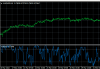
Thank you Master Tanaka,Here it is.