• Welcome back! Thank you for being a part of this Traders Community. Let's discuss and share :)
    Selamat datang kembali! Trimakasih telah menjadi bagian dari Komunitas Trader ini. Mari berdiskusi dan berbagi :)

Suggestion I will make a Free EA with your Indicator

Hello Tanaka. You could make an expert advisor with this indicator:

In the indicator, in the 9 buffer, the value of the sost variable is displayed. It has a value from 1 to 6. With a value of 1, 3 and 5 - BUY. with a value of 2,4,6 - SELL. Try
 

Attachments

Hi Mr Tanaka,

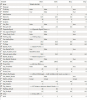
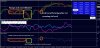
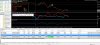
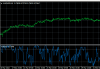
Could I please request for the following indicators to be turned into EA's. Thanking you in advance. isha.png up down.png trend.png loki c.png
 

Attachments

which one doesnt repaint ?
I'm not sure, will only know when market opens. Before market closed, the second and third indicator said "Sell", whereas the fourth indicator said "Buy", so when market opens we will definitely know which indicator is correct.. let's just wait and see before Mr Tanaka can make us an EA.
 
I'm not sure, will only know when market opens. Before market closed, the second and third indicator said "Sell", whereas the fourth indicator said "Buy", so when market opens we will definitely know which indicator is correct.. let's just wait and see before Mr Tanaka can make us an EA.

This actually changes to a "BUY" on the M5 timeframe. FBS Trader 4.png
 

Attachments

  • FBS Trader 4.png
    FBS Trader 4.png
    93.8 KB · Views: 592

Attachments

If you switch to indicator and do a backtest in everytick mode, you can know if it is repaint or not.

upload_2022-4-16_23-57-38.png
 

Attachments

  • upload_2022-4-16_23-57-38.png
    upload_2022-4-16_23-57-38.png
    15.7 KB · Views: 591
Thank you Mr Tanaka, this is extremely helpful! :inlove:

I added REVERSE MODE =true/false.
If you run EA with REVERSE=true, the DD is very low.:party:

Maybe you can try FT on Monday.

upload_2022-4-17_0-9-4.png
upload_2022-4-17_0-9-23.png
upload_2022-4-17_0-10-5.png
 

Attachments

  • upload_2022-4-17_0-9-4.png
    upload_2022-4-17_0-9-4.png
    102.9 KB · Views: 599
  • upload_2022-4-17_0-9-23.png
    upload_2022-4-17_0-9-23.png
    111.2 KB · Views: 598
  • TREND-REVERS.ex4
    TREND-REVERS.ex4
    5.1 KB · Views: 59
  • upload_2022-4-17_0-10-5.png
    upload_2022-4-17_0-10-5.png
    63.6 KB · Views: 598
  • EA_TREND-REVERS.ex4
    EA_TREND-REVERS.ex4
    249.5 KB · Views: 72
You do not need to attach it but it is better if you attach the indicator to find out the line -color for EA setting.
Hello Master
by my understanding the EA trades only one pair at a time,if we want to take orders on different pairs we have to load on different charts and set the buy color and sell color.
I think i understood correctly

Thank you Master
 
You do not need to attach it but it is better if you attach the indicator to find out the line -color for EA setting.
Hello Master,
Maybe a noob doubt when does the EA take order,is it when the currency lines cross eachother or when the individual currency line crosses zero line

Thank you
 
There are two indicators here that are not repaint. The non-repaints are "buy-sell-magic" and "magic fx formula".
"Vh" indicator is repaint but very accurate for long period of time (would be great to be used in parallel with another indicator). Vh only gets repaint when it approaches the EMA.
 

Attachments

Back
Top