and I said.. if there is 1 (as default) the EA take or accept 1 signal BUY and SELL from the indicator conteporarlyRead again, I said I have not done any change in settings, all default, max orders is also 1 for both.


and I said.. if there is 1 (as default) the EA take or accept 1 signal BUY and SELL from the indicator conteporarlyRead again, I said I have not done any change in settings, all default, max orders is also 1 for both.

 I hope this error is not in all Template implemented
 You can use IceFX news indicator to stop the EA when any news happen.Hello, Mr. Tanaka, can you make this ea activate automatically with the news?(at the moment the ea does it manual but if the economic calendar is integrated it will be an excellent ea)

Ok let me make this easy for you. You opens 2 charts of same pair and attach the robot. Now you turn on one robot on one chart and when it will pick a trade, wait for sometime to turn robot into other zone and then you can turn robot on the other chart to pick anther trade in different direction. Technically you can call it hedge but it is not hedge, one will keep closing trades on TP and another keep applying martingale. When all martingales closed on breakeven, you can close another chart and keep running one chart robot with the latest trend
yes this strategy much better, not too many manual interventions and you dont have to stay in front of a chart to turn robot on to pick another direction, just let the robot do what it supose to do, i had been doing this from the beginning, and had double cent account many time until i see some time it create order very clsoed, and so I post pone to put in real till i am prety sure what is really happen after some time with the EAWell, this is basically what I said in a previous post. I said nothing about changing EA parameters. I just said to open 2 Charts change one Chart to Buy only in the Commons Tab on Expert Properties and the other to Sell only on the Commons Tab in Expert Properties.
"Mr. Ahmad Khan,
Maybe this is the answer to your question you are giving us a test on."
EA is on 2 Charts of same Pair. One Chart is Sell only. The other Chart is Buy only.
Mr Tanaka , this good indiGood morning Tanaka San. You have done well helping everyone.
Please, help me turn this Indicator below to ea.
The Indicator Iyiola Trend is a product of your group because i combined 2 Indicators gotten from your group here (grail trend and mabb). I i tested the 2019 iyiola trend Indicator and is non repaint and profitable.
Please help me code the Indicator into EA WITH BASKET TAKE PROFIT AND AUTO MAGIC NUMBER.
Buy when blue up arrow shows and sell when red down arrow shows.
THANK YOU SIR AND GOD BLESS YOU.
Please see attached Indicator

but need close opposite if close buy must open sell or close sell open buy
indi 2019 trend iyiola attach to chart, grail_trend_2 and ma_band put at indicator folder

What is your set file?Hello Tanaka akiko ser ..
i already tested the EA TMA
on backtest its running good
then i test with real live account and attach to multiple pair.. then sumtin strange happen
"its open martin position on all pair which have floating minus position at the same time"
did it happen coz EA have no magic number ?? ..or sometin else ??
can u pls fix this error ser .. ?
thank you before
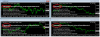
I have tested with your set file. EU TF M30Dear Tanaka,I talked yesterday with Zaman Ahmad Khan, I told him about the problem I have with an Ea I am testing, I just need you to solve that error. EA only opens SELL, this EA is HMS & FORCE. I sent Zaman everything, please if you can help fix this problem. I told Zaman that I pay you and him, I can pay in advance, no problem, I admire your work in this forum, I do not want to take advantage of your good heart and free work. When you can, you answers me or Zamán contacts me. Thank you for everything Tanaka. A hug!
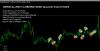
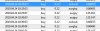
Here you go,Thanks for the responds. I would love to have this indicator as one of the filter.
TrendTMACGLWMA is actually LWMA period 100 with TMA+CGmladenNRP. I use it on TF H1 for trend filter.
Sell only when LWMA over TMA+CGmladenNRP middle line (buffer=0),
Buy only when LWMA below TMA+CGmladenNRP middle line.
You can put option for LWMA period and TF.
View attachment 82776
On the chart it looks nice, BUT it on strategy tester it comes out like this:
View attachment 82779
So in my opinion, you can add this indicator as filter on H1 but sometimes this problem will occur one or two times. Hopefully it did not happen.
Can you add this as filter to EA_GoodArrowIndicator?
If the outcome is good then we can implement it on other EA. If not good, we can still use this manually.
Thank you so much Tanaka san.

It looks OK. Did you test in VPS? Are you sure that they were martin orders??Hello Tanaka akiko ser ..
i already tested the EA TMA
on backtest its running good
then i test with real live account and attach to multiple pair.. then sumtin strange happen
"its open martin position on all pair which have floating minus position at the same time"
did it happen coz EA have no magic number ?? ..or sometin else ??
can u pls fix this error ser .. ?
thank you before
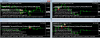
Are you using News filter??Today's profit from demo account. The problem this EA not taking all orders + FFCal erro. I have put all given indicators to indicator folder but till FFCal erro.
Dear Tanaka kindly please fixed this. Thank so much for endless help to everyone.View attachment 82810
It looks OK. Did you test in VPS? Are you sure that they were martin orders??
I have tested in my local desktop PC and it is working OK for now.
Were there any problem (restart?) in your VPS PC?
Can you re-start MT4 and test again?
View attachment 82848
I think your VPS server was shutdown after you put EA on the chart. If EA has already orders, then many martin attack orders were placed....i test on vps ser..
ok .. i'll restart my mt4 also my vps as well
hope it can help ..
thank u ser
Sometimes repaint, OK?Good morning Akiko san. Please, help us code this wonderful Indicator into EA. I think we can leverage on the 2 Indicators given separately on this thread to get a wonderful result. The Indicators are not repainting and works well.
Everyone can download and test the Indicators to see for themselves. Please help us sir Akiko
silly me.. i missed that post about itI think your VPS server was shutdown after you put EA on the chart. If EA has already orders, then many martin attack orders were placed....
I think some other people told the same problems before.