• Welcome back! Thank you for being a part of this Traders Community. Let's discuss and share :)
    Selamat datang kembali! Trimakasih telah menjadi bagian dari Komunitas Trader ini. Mari berdiskusi dan berbagi :)

Suggestion I will make a Free EA with your Indicator

Hi Dear Tanaka
i have a strategy that work with 2 indicators that work 100% and please i want you to make an EA of it
the strategy is simple had two rules:
- Buy Entry:
1) when the price is below the blue line and an signal buy appear place a buy entry
2) TP: is 10 Pips / SL: No SL
3) TimeFrame: H4
- SELL Entry:
1) when the price is above the red line and an signal sell appear place a sell entry
2) TP: is 10 Pips / SL: No SL
3) TimeFrame: H4
The strategy came with two indicators
1) Super Arrow Indicator No Repaint
2) Border Ligns
Thank You Very Much
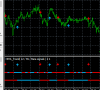
Capture-d-cran-65.png
 

Attachments

Hi Dear Tanaka
i have a strategy that work with 2 indicators that work 100% and please i want you to make an EA of it
the strategy is simple had two rules:
- Buy Entry:
1) when the price is below the blue line and an signal buy appear place a buy entry
2) TP: is 10 Pips / SL: No SL
3) TimeFrame: H4
- SELL Entry:
1) when the price is above the red line and an signal sell appear place a sell entry
2) TP: is 10 Pips / SL: No SL
3) TimeFrame: H4
The strategy came with two indicators
1) Super Arrow Indicator No Repaint
2) Border Ligns
Thank You Very Much
Capture-d-cran-65.png
look your pictures, h4 you must wait 3 week just get a one signal, and dont forget superarrows is repaint
 
Hi Dear Tanaka
i have a strategy that work with 2 indicators that work 100% and please i want you to make an EA of it
the strategy is simple had two rules:
- Buy Entry:
1) when the price is below the blue line and an signal buy appear place a buy entry
2) TP: is 10 Pips / SL: No SL
3) TimeFrame: H4
- SELL Entry:
1) when the price is above the red line and an signal sell appear place a sell entry
2) TP: is 10 Pips / SL: No SL
3) TimeFrame: H4
The strategy came with two indicators
1) Super Arrow Indicator No Repaint
2) Border Ligns
Thank You Very Much
Capture-d-cran-65.png
Dear bro yes it is good
 
Good Morning, To Mr. Tanaka and all the participants of this wonderful forum, I am Brazilian I entered this forum a little and I am delighted with the marvels of you in this forum, I am picking up this post of EA more and very big already has more than 500 pages and many wonderful EA , I would like to know if anyone of you could send me the EA already made here so that I can collect from now, to test. Thank you in advance

Email: [email protected]
 
Dear BRo EA curver arrow is good but i could not best set file so can you give best set file . ( martingale 3 option is available & after once enter profit then close all total orders )
 
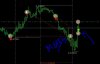
Dear Bro this is yesterday position plg check & i want one more modify is after taken EA 3 orders then i want close 3rd order manually, then EA
continue starts 3rd order,( ex : sell 0.01 buy 0.02 sell 0.03 ( closed this order manually ) then next EA continue sell 0.03 onlyView attachment 77950


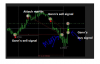
bro if you possible add one indicator( chaos arrzzx2 Indicator this is repaint but no problum just confirmation only) this is perfect 100%profit , this type

View attachment 77951
Dear bro plg remember this modification
 
Mr Tanaka, your new template :
1. Use auto pipstep
2. pipstep default
3. pip_multiple
what that mean ???
if i want set every pipstep=70 marti start open, how i set that.
 
as long as BOTH conditions are met it doesnt matter if the arrows repaint, it's only trading in a very oversold overbought zone, trade 28 pairs with this strategy and you have many signals a week, most of which yield far more than 100 pip tp every single time and even multiple times, this strategy is one of the best strategies for swing trading and identifies high probability reversals nearly 100% of the time when you set up the channel properly...
 
1. Use auto pipstep = EA will apply auto distance between martingale or any order as per the programming. It could be any value feed by programmer in programming or EA will adjust itself.

2. Pipstep default = when u put any value in this command, it will become default value for any position distance, means distance between martingale trades ( eg: position 1 --- 10 pip --- martingale --- 10 pip --- martingale --- 10 pip --- martingale.......... )

3. Pip_multiple = whatever the value u will feed in this command will multiple the default pip distance so when first martingale will apply, it will be default 10 PIP distance between first order and first martingale position, and then when second time martingale will apply, it will multiple default pip step in to value of pip multiple and then it will take a trade ( eg: position 1 --- 10 pip --- martingale --- 12 pip --- martingale --- 14 pip --- martingale............ )

If you put pip step 70 and pip multiplier zero or one then every martingale lot will be pick with distance of 70 pip all the time. If you put multiplier 1.2 then first martingale will be picked as per default value 70 pips, then second martingale will be after 73 PIP, third will be 76 pip, means it will increase distance every time.
THANKS AHMAD
 
yes I will share, the result is still coming because the tests of 1 year takes 2 days to finish.

I've been doing some study and discovered a strategy of this AND BE VERY PROFIT AND VERY LOW RISK.

tanaka master will have to add a parameter and make a change.
**adicionar filter will be optional a hma crossover of 12 and 20 at time h1 or h4 (preferably h1).
signal will be all inputs at time M1 for the signal color at time h1 or h4.
example:
**1 order at a time M1 to win.
buy: hma crossed in h1 or h4 to buy then the expert will make all the purchase entries in time "M1HMA 12 CROSS 20" seeking 1 dollar per order entry 0.02 initial + martingale "100 points x multiples pips1.2 and multiples martingale 2.0 or 1.8.
closing: in the opposite signal of sale of the crossing in h1 or h4 closes all the orders even being in the negative.

sale: hma crossed in the h1 or h4 for sale then the expert will make all the sales entries in the time "M1 HMA 12 CROSS 20" seeking 1 dollar per order entry 0.02 initial + martingale "100 points x multiples pips1.2 and multiples martingale 2.0 or 1.8.
closing: in the opposite signal of purchase of the crossing in h1 or h4 closes all the orders even being in the negative.

with these settings we will have a highly profitable and low risk expert.

THE COMPETITORS WITHOUT PAIRS OF HIGH VOLATILITY COINS WERE VERY HIGH. JPY PAIR SETTINGS WILL BE NECESSARY FOR THE MARTINGALE ATTACK EXAMPLE: 300 POINTS TO 100-POINT INVEZ.

I hope Master Tanaka can make this inclusion so that this EA is complete and profitable for the community.
It's 6 months of my studies for this rss.:h:

I hope that with the gains we can help with several cups of coffee to Mr. Tanaka.
Sorry I don't understand.
You want to order when Hma cross in H1 but what do you mean cross?
upload_2019-4-1_11-13-32.png
 

Attachments

  • upload_2019-4-1_11-13-32.png
    upload_2019-4-1_11-13-32.png
    6.1 KB · Views: 896
1. Use auto pipstep = EA will apply auto distance between martingale or any order as per the programming. It could be any value feed by programmer in programming or EA will adjust itself.

2. Pipstep default = when u put any value in this command, it will become default value for any position distance, means distance between martingale trades ( eg: position 1 --- 10 pip --- martingale --- 10 pip --- martingale --- 10 pip --- martingale.......... )

3. Pip_multiple = whatever the value u will feed in this command will multiple the default pip distance so when first martingale will apply, it will be default 10 PIP distance between first order and first martingale position, and then when second time martingale will apply, it will multiple default pip step in to value of pip multiple and then it will take a trade ( eg: position 1 --- 10 pip --- martingale --- 12 pip --- martingale --- 14 pip --- martingale............ )

If you put pip step 70 and pip multiplier zero or one then every martingale lot will be pick with distance of 70 pip all the time. If you put multiplier 1.2 then first martingale will be picked as per default value 70 pips, then second martingale will be after 73 PIP, third will be 76 pip, means it will increase distance every time.

3. Pip_multiple = whatever the value u will feed in this command will multiple the default pip distance so when first martingale will apply, it will be default 10 PIP distance between first order and first martingale position, and then when second time martingale will apply, it will multiple default pip step in to value of pip multiple and then it will take a trade ( eg: position 1 --- 10 pip --- martingale --- 12 pip --- martingale --- 14 pip --- martingale............ )


IF DONT USE MUST INPUT = O OR INPUT =1 AT PIP_MULTIPLE?
 
Hi Dear Tanaka
i have a strategy that work with 2 indicators that work 100% and please i want you to make an EA of it
the strategy is simple had two rules:
- Buy Entry:
1) when the price is below the blue line and an signal buy appear place a buy entry
2) TP: is 10 Pips / SL: No SL
3) TimeFrame: H4
- SELL Entry:
1) when the price is above the red line and an signal sell appear place a sell entry
2) TP: is 10 Pips / SL: No SL
3) TimeFrame: H4
The strategy came with two indicators
1) Super Arrow Indicator No Repaint
2) Border Ligns
Thank You Very Much
Capture-d-cran-65.png
I coded anyway.
 

Attachments

Back
Top