- Credits
- 26
Maybe you forgot to copy the indicator file in your MT4 indicator folder??Yes, you included the indicator inputs in the EA, but it does not work. Thanks.
I have checked to change FaseEMA in BT and it looks OK.

Maybe you forgot to copy the indicator file in your MT4 indicator folder??Yes, you included the indicator inputs in the EA, but it does not work. Thanks.
Please use the attached EA.just one EA to close all orders ( market and pending all togother ) after profit or lose put it in one seperated chart and work with all order


Hello Tanaka,
what about BoBB indi ..?
(see, please, https://www.mql5.com/en/code/10343)
(m5) strategy:
LONG: enter @ open next bar when ...
bobb62 cuts off (@close bar) the higher (0.38dev) band (62 period),
SL @ lower (0.38dev) band,
trailing stop (TP) by linearweightedma62 (dotted red line)
SHORT: enter @ open next bar when ...
bobb62 cuts off (@close bar) the lower (0.38dev) band (62 period),
SL @ higher (0.38dev) band,
trailing stop (TP) by LWma62 (dotted red line)
additional options:
1) signal trigger bobb62 X LWma62 (buy or / & sell)
2) buy when bobb cuts off over 0line (sell under 0 line)
Regards
magoo
P.S.
remember to delete the suffix (.txt) by the template file ...
It is ex4 file, so I can not do anything.

Please use the attached EA.
This is EA for manual trading, but you can use to close all orders after profit or lose.
Just put this EA in a chart (any chart is OK) and run it.
If you want to close all orders with total profit dollars, then Use Auto basketprofit =FALSE and put manual profit dollars.
If you want to put manual input dollars, then always Use_Auto baske profit =FALSE.
If you Use_Auto baske profit =TRUE, then EA will calculate total expected profit based on lot size, so if you don't want it, Use_Auto baske profit =FALSE.
View attachment 77557
EX.) Above example, If you run 3 EA and total profit reached to $200, then all orders are closed.
If you want to close all orders if total loss reached to $500, then
View attachment 77558
Use Emergency STOP=true and put $500.
Please test it in demo account first.
EA never opens a trade against trend, it takes first trade as per trend and then apply martingale if trend goes opposite. Also you can see in ur picture there are sell and buy orders in same pair however my EA can take only one side trades at a time, it means u have done something wrong. It will pick opposite side only if all trades hit TP and signal has changed. With multiple of 1.2, 0.01 lots should apply maximum time but in ur picture it is applied more than 3 times so there must be something wrong from ur hand, you might have attached EA in same pair many charts. Looks like u increased max orders and each order started applying martingale.

Please use the attached EA.
This is EA for manual trading, but you can use to close all orders after profit or lose.
Just put this EA in a chart (any chart is OK) and run it.
If you want to close all orders with total profit dollars, then Use Auto basketprofit =FALSE and put manual profit dollars.
If you want to put manual input dollars, then always Use_Auto baske profit =FALSE.
If you Use_Auto baske profit =TRUE, then EA will calculate total expected profit based on lot size, so if you don't want it, Use_Auto baske profit =FALSE.
View attachment 77557
EX.) Above example, If you run 3 EA and total profit reached to $200, then all orders are closed.
If you want to close all orders if total loss reached to $500, then
View attachment 77558
Use Emergency STOP=true and put $500.
Please test it in demo account first.


it's like high gain robotHello Mr. Tanaka! I'm testing Trio Orchestra (standard + reversed version) from a couple of weeks and it's performing well till now (5% gain and small drawdown)..
I'd like to ask you if it's possible to code the "basket profit" options so that the value can increase proportionally with balance..so if the account doubles, the value doubles as well and so on.. (ex.: 10 USD value for a 1000 USD account, then it increases to 11 when the balance reaches 1100, and so on..)
I hope it's not a difficult change to make..this is your last revision of the EA, let me know!
Thank you soooo much for your time and patience
1st signal 0.01
2nd signal 0.02
3rd signal 0.04
4th signal 0.08
Like this? I need to modify the code, maybe I will try this week.[/QUOT
Dear Bro plg modify Ea curver_arrow, plg
 [/ QUOTE]

I am also waiting for Tanaka to make this EA based on TrendView.ex4also this indicator good if some one make an EA for it
Ok, I will retest it again. Your coffee is coming. Thanks again.Maybe you forgot to copy the indicator file in your MT4 indicator folder??
I have checked to change FaseEMA in BT and it looks OK.
View attachment 77545
OK, I coded.Hello Akiko San:
Here it is;
1. OCO (One Cancel Other Order) once a position is opened (buy open, sell stop cancel)
2. Website for NEWS Reference (e.g. ForexFactory)
3. Timer to NEWS Release (order is placed before...........minutes of New Release and canceled after..........minutes)
4. Max. spread
Many thanks in advance.



You mean that you want basket profit is manual input or percentage of your equity?Hello Mr. Tanaka! I'm testing Trio Orchestra (standard + reversed version) from a couple of weeks and it's performing well till now (5% gain and small drawdown)..
I'd like to ask you if it's possible to code the "basket profit" options so that the value can increase proportionally with balance..so if the account doubles, the value doubles as well and so on.. (ex.: 10 USD value for a 1000 USD account, then it increases to 11 when the balance reaches 1100, and so on..)
I hope it's not a difficult change to make..this is your last revision of the EA, let me know!
Thank you soooo much for your time and patience
mag , there is a problem. You put moving average on sub-chart. So moving average range is the same as QQE range. (32 to 50 to 59....)Hello Tanaka,
what about QQE indi ..?
(see, please, https://www.mql5.com/en/code/20650)
(http://dewinforex.com/forex-indicat...il-but-accurately-defines-trend-and-flat.html)
I thought of simplifying everything (the previous request) with ...
the simple cross between the QQE (50) and its average LWma34
(m5) strategy:
enter @ open next bar when ...
buy :
QQE(50:blu line) cuts UP its linear weighted34 (dottet red line)
sell:
QQE(50:blu line) cuts Down its linear weighted34 (dottet red line)
TP (SL) at new opposite order ...
(trailing stop by LWma34)
Regards
mag00
P.S.
remember to delete the suffix (.txt) by the template file ...
Sorry, there is no buffer output for this indicator (EMPTY), so I can not code EA...THIS INDICATOR WORTH TO MAKE AN EA --IF SOME ONE HELP ---
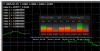
THE NUMBER > 7 ITS GOOD TO BUY ORDER FOR CURRENCY
THE NUMBER < 7 ITS GOOD TO SELL ORDER FOR CURRENCY
TAKE PROFIT + STOP LOSS + LOT SIZE
EXAMPLE IN TH PIC BELOW
THE INDICATOR ALSO ATTACH THE RAR FOLDER AFTER EXTRACT PUT IN WINDOWS FONT FOLDER
THATS ALL
VERY THANK
Hi AHMAD KHAN,EA never opens a trade against trend, it takes first trade as per trend and then apply martingale if trend goes opposite. Also you can see in ur picture there are sell and buy orders in same pair however my EA can take only one side trades at a time, it means u have done something wrong. It will pick opposite side only if all trades hit TP and signal has changed. With multiple of 1.2, 0.01 lots should apply maximum time but in ur picture it is applied more than 3 times so there must be something wrong from ur hand, you might have attached EA in same pair many charts. Looks like u increased max orders and each order started applying martingale.
Hi AHMAD KHAN,
Thanks to hear from you.
I am attached some photo in March 21, 2019 to prove the EA open trade with difference broker in opposite direction.
It's should be open trade in same direction.
One thing you right! It's my mistake.
I removed the EA and reinstalled the EA in March 22, 2019 because I hope it will opened trade in same direction with other broker.
But it isn't.
In this case, Do I have to Close all trade before re-install the EA?
Or do you have any suggestion.
https://soehoe.id/i-will-make-a-free-ea-with-your-indicator.t9801/page-534#post-294690
Thanks.