• Welcome back! Thank you for being a part of this Traders Community. Let's discuss and share :)
    Selamat datang kembali! Trimakasih telah menjadi bagian dari Komunitas Trader ini. Mari berdiskusi dan berbagi :)

Suggestion I will make a Free EA with your Indicator


tanaka akiko

Hello Brother,

in this thread there are so many ea that you have made,
can you show me which one do you think is the best with the lowest DD and can escape the forex chart fluctuation ?
maybe your information will be very useful for traders friends in this thread.


Best Regards.
 
Hallo Mr.Tanaka ,
this my first post in the forum and im happy to see some good persons like you who still give and help the people thanks a lot fo your hard efforts
i have normal indicator which give sell and buy signal need to transfer it for EA and im beginner so if you have better suggestion you can improve but i need
( buy signal -enter buy and profit will stop by sell signal appear and if the price go against price so stop will be by sell signal appear and enter same signal sell )
(sell signal - enter signal and profit will stop by buy signal appear and if the price go against price so stop loss by buy signal and enter the the same signal buy)

thanks alot
 

Attachments

[QUOTE = "Ronaldo Marcel, post: 287780, miembro: 39036"] :)[/ QUOTE]

HOLA RONALDO, USTED PUEDE PUBLICAR EL EA QUE USTED UTILIZA Y EL CONJUNTO PARA SEGUIR BENEFICIANDONOS TODO Y ESTE HILO NO SE PIERDE, TODOS LOS CRÉDITOS Y LA BUENA VOLUNTAD PARA EL SR. TANAKA.
 
I can not see yellow line. Is it impulse signal indi?
By the way, impulse signal blue & red dot is just signal , so I can not code that line touch the dot....View attachment 73880
Hai Tanaka need to help recode the ea but need some change in indicator which (original z=3 and z1=2 ,need change z=2 and z1=2) this found
much more improve in red and blue signal dot .try ea in TF 1 OR TF 4 .NEED ADVISE
 
https://soehoe.id/goto/post?id=286751#post-286751

Tanaka San, I think there's a mistake, when opposite_close = true, it closes the running trade, but don't open the new trade, I mean, if there's a sell and indicator turns blue, Super Trend EA closes the sell trade but don't open the buy trade as it should, could you repair please? Other thing, I can see how after I stop tester it paints the Super Trend indicator lines but while it's running, don't show that lines.
Thanks. :p
It is because you have order distance=true
If it is true, order distance is always more than that pips,
so if you want to close with opposite signal, I recommend to make it false.
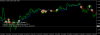
Also I recommend Max order=1 and you can see below picture. All buy-sell line is connected.

upload_2019-2-26_12-41-43.png

upload_2019-2-26_12-43-33.png
 

Attachments

  • upload_2019-2-26_12-41-43.png
    upload_2019-2-26_12-41-43.png
    3.6 KB · Views: 822
  • upload_2019-2-26_12-43-33.png
    upload_2019-2-26_12-43-33.png
    20.8 KB · Views: 822
mr tanaka i will try to make it more clear
in the first picture that s the current EA and how it work with this set i upload it open first trade many sell and the open many buy order and so on .
the
second picture i want the EA to open only fist trade of each buy and sell arrow lik it show and even if the first trade is at loss it have to open the second trade buy only one of each
in the
third picture i tried to put max ordre 1 but it open one trade and only open second after the first close and that s not good
the
fourth picture the current ordre distance pipe work with distance between each opening trade but if you can make it work only when the distance pip apply to loss trade like the picture (open sell then another trade appear and it is buy so the( distance trade=50) will work only for the sell trade because it is at loss and not for the buy that way the DD will reduce so the next sell will not open until it reach 50 pips and the buy will open normally without pipstep
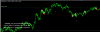
I tested with your set file. EU M1, but there is not many orders.... (revA)
upload_2019-2-26_12-56-5.png
 

Attachments

  • upload_2019-2-26_12-56-5.png
    upload_2019-2-26_12-56-5.png
    15.3 KB · Views: 840
Back
Top