• Welcome back! Thank you for being a part of this Traders Community. Let's discuss and share :)
    Selamat datang kembali! Trimakasih telah menjadi bagian dari Komunitas Trader ini. Mari berdiskusi dan berbagi :)

Suggestion I will make a Free EA with your Indicator

Saidi super arrow is good but your set file is without stoploss which makes it so dangerous and draw dawn is too much also.
Some new technique to improve this...
if you just use eu and gu it cannot blow your account, but sometimes cannot get signal, use jpy is not good, other dd be high
 
Hi, Tanaka!
I think this will help you.
If you trade in the M5 time interval, D1 will be useful if the time is within the filter.
Or there is a filter in H4 time interval.
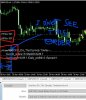
I filter the grid EAs so I filter them. This is an example.View attachment 70100
double MA1 = iMA(NULL, PERIOD_D1, 1, 0, 0, 0, 1);
double MA2 = iMA(NULL, PERIOD_D1, 3, 0, 0, 0, 1);

double Stochastic1 = iStochastic(NULL,PERIOD_D1, 14, 3, 5, 0, 0, 0, 0);
double Stochastic2 = iStochastic(NULL,PERIOD_D1, 14, 3, 5, 0, 0, 1, 0);

Buy (MA1>MA2 && Stochastic1>Stochastic2 && sdsdsdsdsds);
Sell (MA1<MA2 && Stochastic1<Stochastic2 && sdsdsdsdsds);

Sirojiddin
Thanks! You mean this filter is used for read "Chart trend" with longer time frame (H4 or D1) and
with using this filter, I can use shorter TF indicator signal is valid or not?

Buy (MA1>MA2 && Stochastic1>Stochastic2 && indicator BUY signal==true);
Sell (MA1<MA2 && Stochastic1<Stochastic2 && indicator SELL signal==true);
 
mega-fx-revc2
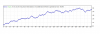
40$ to 4000$ 9 month
mm risk 2.5
we can run account with chance.
backtest is very slow
View attachment 70096

this is update version mega fx indicator?
if yes i think result maybe better or mr tanaka add heiken ashi indicator for filter
thank you very much mr tanaka
Arrow locations looks same, so maybe not a new one?
Maybe add Sirojiddin filter idea?
 
A little contribution I got from a forum and it works for me!
EA - QLT v.1.51 eng.ex4
Time - M1
Banking - 100 USD
Brokers tested - FBS and ActivTrades (If you can test in other brokerages)
The .set file was made 08/01/2018 to 01/01/2019
Who can do the test 99.9% would appreciate it for kindness
They can test and make new set and post here best result success to all.

Demo account ( €5000) ...
I am testing (7 days) in m1 ...

EA QLT v 1.51 engwith sameset file of estevambr (post 6375 : https://soehoe.id/i-will-make-a-free-ea-with-your-indicator.t9801/page-319)

test (m1) with 4 currency pairs (€ $, £ $, $ Y, A $) + two stock indices (Ger30, USA500)


Here the result (just seven days and not complete)
Anyone else with idEA(s) & set(s)?

P.S.
The EA-Gann sq9 (revB) identifiable only for the AY (m1) currency and lot 0.01 would seem to lower the average profit ...
 

Attachments

Demo account ( €5000) ...
I am testing (7 days) in m1 ...

EA QLT v 1.51 engwith sameset file of estevambr (post 6375 : https://soehoe.id/i-will-make-a-free-ea-with-your-indicator.t9801/page-319)

test (m1) with 4 currency pairs (€ $, £ $, $ Y, A $) + two stock indices (Ger30, USA500)


Here the result (just seven days and not complete)
Anyone else with idEA(s) & set(s)?

P.S.
The EA-Gann sq9 (revB) identifiable only for the AY (m1) currency and lot 0.01 would seem to lower the average profit ...
Excellent friend
 
I made an EA out of this and currently running it on VPS.

vNp6TWt.png
Good to see at least someone take it seriously. Best of luck.
 
Demo account ( €5000) ...
I am testing (7 days) in m1 ...

EA QLT v 1.51 engwith sameset file of estevambr (post 6375 : https://soehoe.id/i-will-make-a-free-ea-with-your-indicator.t9801/page-319)

test (m1) with 4 currency pairs (€ $, £ $, $ Y, A $) + two stock indices (Ger30, USA500)


Here the result (just seven days and not complete)
Anyone else with idEA(s) & set(s)?

P.S.
The EA-Gann sq9 (revB) identifiable only for the AY (m1) currency and lot 0.01 would seem to lower the average profit ...
Good, what setting used in dax, please can you share? thanks
 
I use this set file, in particular, for the Dax (m1) ...

P.S.
in truth I copy and paste this set file ( QLT v.1.51 engM1 ), as I said, changing the magic number for each chart
Nice... Tanaka is so fast in creating EA... He really loves work and enjoy learning... But very few people post results with set files... He want to improve and make profitable
 
I use this set file, in particular, for the Dax (m1) ...

P.S.
in truth I copy and paste this set file ( QLT v.1.51 engM1 ), as I said, changing the magic number for each chart
thanks. I see the expert in last post. I am use in 1m in EU. Working good. You send 2 sets one for Dax and the another set ?
 
thanks. I see the expert in last post. I am use in 1m in EU. Working good. You send 2 sets one for Dax and the another set ?

is the master file set (see post 6375 of estevambr) from which ...
... I change only the magic number (for the majors and indices ,including the Dax) but ...

... it could be improved !?.

P.S.
work in progress?
(publish what you think is interesting )
 
Nice... Tanaka is so fast in creating EA... He really loves work and enjoy learning... But very few people post results with set files... He want to improve and make profitable

it is true and this makes him merit: nice person ...

P.S.
I typed the word on google ...
EA QLT v 1.51 eng ... and I found other study material in another forum@ Forex Factory
"Quantum London Trading - Page 176 "
... the more people try (in the demo) ...
... the more experience we'll have
 
Hi, Master Tanaka.
Or someone who can help

I use this EA (but never alone, I always stay on the screen observing) I do not have 100% confidence but it gives me a good result some schedules .... Observing his progress of MARTI I realized that if the orders were opened OPPOSITES with me monitoring and closing manual in the minimum profit I would have excellent results ...

SOMEONE CAN INCLUDE THESE STEPS IN THE EA

1- EA signal BUY = open SELL / signal EA SELL = open BUY (opposites)
2- Stop loss
3- Time start and time and
4- Traling STOP
5- Magic number

I do not have edit file, Only Ex4.
 

Attachments

Master TANAKA.

All of your EAs, the text group is very close to the margin and I do not see open orders (nr, lot, director etc).
To be perfect, decrease the character and move slightly away from the left margin of the MT4.

Tnks
 

Attachments

  • InkedCropArea0000_LI11.jpg
    InkedCropArea0000_LI11.jpg
    927.7 KB · Views: 191
Master TANAKA.

All of your EAs, the text group is very close to the margin and I do not see open orders (nr, lot, director etc).
To be perfect, decrease the character and move slightly away from the left margin of the MT4.

Tnks
OK, I can put Margin value in parameter so that you can change what ever you want the margin from the left side.
 
Back
Top