
You are using an out of date browser. It may not display this or other websites correctly.
You should upgrade or use an alternative browser.
You should upgrade or use an alternative browser.
Suggestion I will make a Free EA with your Indicator
- Thread starter winidecorw
- Start date

- Credits
- 0

- Credits
- 0
Hello Milos
You have this indicator,its also currency strength
Thanks
- Credits
- 0
ThanksHi Srivegunta
I have a few indicators similar to this currency strength. I will post them later today.
Can you share your setfile for Quick profit and Fxfundingmate ea ?
Master Tanaka, I have two questions, 1st about the EA_QuickProfit, how do I reduce the distance from his StopLoss, I'm using it and it seems to be good. 2nd The MQLTA EA is not opening orders on the Gold pair (xauusd) is there something wrong with the asset? and EA FXFUNDINGMATE (RevA)is doing well so far. Congratulations on the great works.View attachment 145276
Here are the multi currency strength indicators. Please change the colors of the lines in the settings of the indicator. In currency slope strength there is an option to "weigh only symbol on chart" set that to true and see magic!
Attachments


Can you share set files for QuickProfit and FXFundingmate and I will share set file for MQLTA EAMaster Tanaka, I have two questions, 1st about the EA_QuickProfit, how do I reduce the distance from his StopLoss, I'm using it and it seems to be good. 2nd The MQLTA EA is not opening orders on the Gold pair (xauusd) is there something wrong with the asset? and EA FXFUNDINGMATE (RevA)is doing well so far. Congratulations on the great works.View attachment 145276

Attachments


Here .
[QUOTE="tanaka akiko,You can use this.
Master Tanaka, can you please remove VSD Indicator from this EA. VSD, Breakout Signal and Ninja are all Beast Signal renamed which seem not to be working properly in all ea's. So, please remove VSD,
SuperTrend is inside this ea, make it first choice indicator to replace VSD and Indicadoallpips to replace SuperTrend as confirmation indy.
And If you can make your ea's to indicate entrypoints on chart with blue arrows for buy and red arrows for sell, this makes review and analysis of ea performance easy without looking into trade history.
We appreciate your efforts Master, thank you very much.
Attachments


- Credits
- 21
Here it is.Hello Master Tanaka
Can you please add RSI filter to the EA_RM DAYTRADING
RSI above 60 buy
RSI below 40 sell
If possible make it multi pair
Thank you for your contribution and support
 Sleepy....
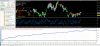
GU TF M1
Attachments



Last edited:

Can you share set files for QuickProfit and FXFundingmate and I will share set file for MQLTA EA
View attachment 145306
Yes Milos both QuickProfit and FXFundingmate are not profitable for me ....
Here it is.
GU TF M1
View attachment 145312
View attachment 145313
View attachment 145315
Hi Mr. Tanaka
What happened to your own EA you were working on ?
Is there any updates ?
- Credits
- 21
Yes Milos both QuickProfit and FXFundingmate are not profitable for me ....
So far, Quick profit is the best....
https://www.myfxbook.com/portfolio/quick-profit/9515040

