- Credits
- 0
Me estoy volviendo loco probando todos los EAs.
!!!!! pero me encanta
!!!!! pero me encanta


Good morning Tanaka San. You have done well helping everyone.
Please, help me turn this Indicator below to ea.
The Indicator Iyiola Trend is a product of your group because i combined 2 Indicators gotten from your group here (grail trend and mabb). I i tested the 2019 iyiola trend Indicator and is non repaint and profitable.
Please help me code the Indicator into EA WITH BASKET TAKE PROFIT AND AUTO MAGIC NUMBER.
Buy when blue up arrow shows and sell when red down arrow shows.
THANK YOU SIR AND GOD BLESS YOU.
Please see attached Indicator
yes repaintUnfortunately, this indicator is a repaint indicator

Here you go.
double post
redhawk、this is a new template version.

Hi BBubai hit the "TrendTMACGLWMA" indicator I have to change the TRADE (BUYONLY, SELLONLY OR BUY & SELL) manually or what I have to do. Thank you.
 )). As i see in your screenshot, you use News filter True, but in set file you posted, it False. Which one is correct? Also can share news indicator?
Hello,
I want to share my FT on Instaforex Std.
Here is EA Asia Scalper Pro...very recommended concept. The EA is working for scalping purpose based on the market volatility.
and will open only in high volatile market.
If the market runs toward different direction it will do the martingale as needed. Here's is the FT Result and the set on EU.
View attachment 82862 View attachment 82863
I run this on VPS with 3 pair running....coffee me if you needed the rest of the pair
Note: don't use any backtest result to run any EA especially for real money market trading. BT will not work on news, just price action. Always run on FT first before going to LIVE.
On BT it works a wonder Mr Tanaka.Here you go,
I implemented TrendTMACGLWMA in EA_GoodArrowIndicator.
You can change TrendTMACGLWMA Time frame here.
View attachment 82842
Please test it.
Notice!!!! Put all indicator files in your indi folder before running EA.
 I am FT it right now.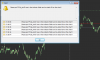
If you are using EA_GoodArrowIndicator(revA), TrendTMACGLWMA already in there. Put the filter parameter to "true". H1, period=100.Hi BBubai hit the "TrendTMACGLWMA" indicator I have to change the TRADE (BUYONLY, SELLONLY OR BUY & SELL) manually or what I have to do. Thank you.

Just close MT4 and restart. It will be fine.On BT it works a wonder Mr Tanaka.
However there is one small problem....
View attachment 82877
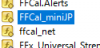
I try attach the EA and this error came out. There are already FFCal_miniJP.ex4 in my indicator folder.
"FFCal_miniJP.exe"??? Is it wrong extension?
If you are using EA_GoodArrowIndicator(revA), TrendTMACGLWMA already in there. Put the filter parameter to "true". H1, period=100.
Put it on BUY&SELL.
If you are using manually, attach TrendTMACGLWMA to chart and set any EA according to indicator color. Green = BUYONLY ; Red= SELLONLY.

It didn't work.Just close MT4 and restart. It will be fine.
 I restart mt4 a few times already.
BBubai, you are using news filter.It didn't work.
When I disable News Filter, EA still didn't work. can you check?
I attach the set.
BBubai,BBubai, you are using news filter.
Can you check the indicator file name and extension in your indicator folder?
FFCal_miniJP.ex4,
View attachment 82884
Maybe martin attack pips is too close?Mr. Tanaka, I continue to close these Martin by hand but he always opens continuously in the opposite direction (see Photo). I wanted to know why? Thank you.