• Welcome back! Thank you for being a part of this Traders Community. Let's discuss and share :)
    Selamat datang kembali! Trimakasih telah menjadi bagian dari Komunitas Trader ini. Mari berdiskusi dan berbagi :)

Suggestion My Holy Grail After 4 years of trading

Hi. For those who are still using manual trade please download latest template from my System. Added few filter in there.

Original Rule Remain.

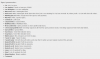
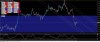
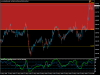
Additional rule are as per attached pic:

1:ZigZag (with modified setting) must aligned with X & Wave (any number) << H1 TF
2.RSI Period Must be inside (70-75) or above for Sell Setup & Vice versa for buy Setup << H1 TF
3.Stoch modified to 65/5/5. Rule > Blue line must be inside/above (90-95/gray line) for sell setup or vice versa for buy setup << H1 TF

View attachment 118254

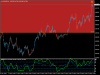
For M15 rule remain. As long as X inside Zone then its valid to enter. Goodluck

Take-profit for buy & Sell setup added. (Original indicator are from KG. but the value inside it tweaked. So simply load the template)

SL suggestion is there. But so far the accuracy is not that good. but its use-able.

Regards.


Thank you Sir...
 
Hi. For those who are still using manual trade please download latest template from my System. Added few filter in there.

Original Rule Remain.

Additional rule are as per attached pic:

1:ZigZag (with modified setting) must aligned with X & Wave (any number) << H1 TF
2.RSI Period Must be inside (70-75) or above for Sell Setup & Vice versa for buy Setup << H1 TF
3.Stoch modified to 65/5/5. Rule > Blue line must be inside/above (90-95/gray line) for sell setup or vice versa for buy setup << H1 TF

View attachment 118254

For M15 rule remain. As long as X inside Zone then its valid to enter. Goodluck

Take-profit for buy & Sell setup added. (Original indicator are from KG. but the value inside it tweaked. So simply load the template)

SL suggestion is there. But so far the accuracy is not that good. but its use-able.

Regards.

Mohdridzuan

Thanx
 
Last edited:
Pairs you can enter now:

CAD/CHF buy TP:0.7053
NZD/USD buy TP:0.62700
AUD/JPY buy TP:71.800

Have a great weekend everyone!

Guz

Hello Friends,

Here's an update on the above trades:

CAD/CHF buy TP:0.7053 > Buy signal still valid, TP adjusted to 0.7045
NZD/USD buy TP:0.62700 > Buy signal still valid, TP adjusted to 0.6244
AUD/JPY buy TP:71.800 > TP hit, trade closed

Cheers
Guz
 
Thank you for the signal trading, its awesome and some trader might interested to use and trade based on signal
while they can learn alone and make a comparison with another signal to find out the best one.
 
[QUOTE = "bp2000, сообщение: 404309, участник: 43234»] Обратите внимание:
когда я выпускаю любую новую версию, сначала проверяю ее, не всегда просите изменить ее.
Менее чем за 24 часа, и кто-то просил меня изменить то или иное.
Все эти показатели перекрашиваются. Сигналы, которые вы видите на экране, прекрасны. [/ QUOTE]

Caution! SuperSignal Expert (ver 3.02) has one significant bug! If orders were opened in one terminal (on my PC), and then I continued to work on the same account on a laptop, then the expert immediately closes already opened orders.
bp2000, please, correct this!
 
Last edited:
Ridzuan or anyone else using windows 10 can help me ? When I load the template on my laptop it does not show Fib values (percentages) on the chart, please see the image... anyone can tel me what is the issue ?
im using the same indicators on another machine with windows 7, its showing fib values in the template... but not showing in this new laptop...

what could be the problem?, any help will be really appreciated..
 

Attachments

  • indicator-ridzuan.jpg
    indicator-ridzuan.jpg
    357.3 KB · Views: 335
Ridzuan or anyone else using windows 10 can help me ? When I load the template on my laptop it does not show Fib values (percentages) on the chart, please see the image... anyone can tel me what is the issue ?
im using the same indicators on another machine with windows 7, its showing fib values in the template... but not showing in this new laptop...

what could be the problem?, any help will be really appreciated..
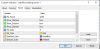
You need to Change these Settings to TRUE Like this!
 

Attachments

  • Capture1.PNG
    Capture1.PNG
    17 KB · Views: 331
Hi, I want to ask where can I download EA Super signal V1.0? To this strategy? Thank you for any info
 
Back
Top