Thanks for your valuable time I'll trySettings
- Comment
A string value sent with every order.- Magic
The magic number for the trade.- Slippage
The slippage sent with every order, measured in points.- Spread Filter
The spread filter for new trades, measured in points.- Min Signal
Limit the spread from being too small to this value, measured in points.- Tick Samples
The number of ticks used to calculate the entry signal.- Fixed Lots
Use this value for a fixed lot size. 0 = disable- Margin Percent
The amount of margin used to calculate the lot size in money management.- Total Positions
The maximum unprotected open positions allowed.
Note: An "Unprotected Position" is one that does not have a stop loss or the stop loss is set below the entry price for buy positions or the stop loss is set above the entry price for sell positions.
- Total Orders
The number of orders created on each signal.- Velocity Signal
The velocity to begin trade operations, measured in spreads.- Order Distance
The distance from the current price to place the pending order, measured in spreads.- Stop Loss
The stop loss value for new positions, measured in spreads. 0 = disable
Important: If this value is set to 0 then new orders will be sent without a stop loss, this means you will need to run a Secondary Terminal.- Initial Stop
The first modified stop distance.
Note: This counts for the slippage, gaps or spread widening as the difference between the open price and current price on the first tick of each trade.- Trailing Distance
The trailing distance, measured in spreads.
Important: This value is mapped from 0 to the set value depending on volatility.- Take Profit
The take profit value for new positions, measured in spreads. 0 = disable
Note: The strategy is much more profitable if this value is set to 0 however it is safer to have a value set. Technically you would need to run a Secondary Terminal if this value is set to 0.

You are using an out of date browser. It may not display this or other websites correctly.
You should upgrade or use an alternative browser.
You should upgrade or use an alternative browser.
Suggestion Monkey Pips ( from the original author )
- Thread starter trevor
- Start date
I dont mean to be nasty. Good luck come back to me when you need help.Thanks for your valuable time I'll try
Bro we are family here, share your results please!Live account is very good !!!
Both MT4 & MT5
Thank you !
https://soehoe.id/monkey-pips-from-the-original-author.t11039/page-7#post-337939Please can you share with us lastly EA file to use?

but apologies for my abrasive demeanor. thanks!This is my review for this thread:
Great job combined with the right spirit.
some of you guys might know i been struggling with health issues.
tonight i go away for a period of recovery so i will be away for a few weeks.
the demo will stop running in a few days and i believe once that happens this thread will die away slowly.
one last time... anyone want to run the demo here it is.. i leave it with you
2100052016
185.97.161.171
2jqiing
6drllhg
dont worry i will have plenty of time to resume my work!
tonight i go away for a period of recovery so i will be away for a few weeks.
the demo will stop running in a few days and i believe once that happens this thread will die away slowly.
one last time... anyone want to run the demo here it is.. i leave it with you
2100052016
185.97.161.171
2jqiing
6drllhg
dont worry i will have plenty of time to resume my work!
This is your vps or account bro let me checksome of you guys might know i been struggling with health issues.
tonight i go away for a period of recovery so i will be away for a few weeks.
the demo will stop running in a few days and i believe once that happens this thread will die away slowly.
one last time... anyone want to run the demo here it is.. i leave it with you
2100052016
185.97.161.171
2jqiing
6drllhg
dont worry i will have plenty of time to resume my work!
that the demo account i been running, and i also removed the myfxbook link so you add itThis is your vps or account bro let me check
can you run this on your vps?
create the myfxbook and post it here for everyone
v701 default settings just drop ea on GBPUSD, EURUSD, USDJPY, USDCAD, AUDUSD and EURJPY
ONLY plse... dont go maverick on us you are running the show-case account.
OK I removed from my vps now.
see you in a few weeks. wish me luck. i need it.
--------------------------------------------------- THATS ALL FOLKS! -----------------------------------
Last edited:

100% right....ok so this means you need to create third party account and the ea be re coded in python which is not a problem for me ... python rules actually but oanda very expensive broker and would get fewer trades. the recoding is no different to coding the mt5 or ctrader which be more brokers anyway which i already done both.
unfortunately i pass on this because only for oanda... there is still the "maturity" of recoding and ea there. the solution would be something where can call a function in the mql4 code... mt4? why mt4 einstein says?? thats insanity expecting a different result. because all the brokers with good cost of trading do not want to have mt5... because I will personally ruin them all! look guys its only a matter of time till i get the mt5 and ctrader right.... but to do that i need ducascopy data to be able to test and develop with. anyone tried to make a mt5 ea? its such bull! sooooooooooooooooooooo much power but yet the broker giving you shitty backtesting data... check it out... investigate it... this is how they have us by the balls!
and guess what???
mt5 wont allow to import data... i need software to do that...
there is no rocket science here.... they got us all by the balls! f*** brokers.... i tell you its only a matter of time till i ruin them all!
Bro please tell me your secret it's can't open trade for me pleaseNew link for that myfxbook
http://www.myfxbook.com/members/tschuil/monkey-pips--from-original/3527867
many thanks to HAL 9000 to help me out, I am in your debt.
there is no secret i promise. todays trades we made by HAL 9000 I dont even set it up, he did. i just put the myfxbook.Bro please tell me your secret it's can't open trade for me please
if you have high spread and commission you will be waiting some days for a trade.
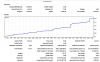
haha more than 100% gains today

guys please keep this thread going whilst i am away i still have much to show
Last edited:
there is no secret i promise. todays trades we made by HAL 9000 I dont even set it up, he did. i just put the myfxbook.
if you have high spread and commission you will be waiting some days for a trade.
haha more than 100% gains today
guys please keep this thread going whilst i am away i still have much to show
Help us to Earn like you brother!!!!!


heri sutanto
New Member
- Credits
- 0
This is my review for this thread:
good
good