if you fix the delay bit it would be good indicatoryes its profitable

You are using an out of date browser. It may not display this or other websites correctly.
You should upgrade or use an alternative browser.
You should upgrade or use an alternative browser.
Suggestion I will make a Free EA with your Indicator
- Thread starter winidecorw
- Start date
Are you sure opposite close is profitable? Is this non repaint?
its non repainting but delays alot . it would be good if you could fix the delay but unfortunately the creater never released mq4 fileyes its profitable

- Credits
- 0
EA Pro Night Scalp K7
If someone helps me prepare good sets for this EA, I'll give this EA for free.
View attachment 86597
Pro Night Scalp K7
Pro Night Scalp K7 is a fully automated multi-currency advisor for trading in the Asian session. Advisor works on many strategies.
Advisor works on the basis of four standard indicators.
You decide the strategy according to your choice. Scalper or Grid. If you choose Scalper, then you must set Step = 5000 ;.
You can use Stop order, Limit Order or Buy Sell as you wish (for this you must set Buy_Stop_Limit). The grid does not work for Stop and Limit orders.
You need to set the time correctly. Example: GMT + 2 for Alpari. TimeEnd: not specified by GMT. You must set it to GMT -0. If you do not need TimeEnd, you can disable it (TimeEnd = false).
If you turn it on, try and use a demo account for 1-2 days. News filter test results disabled (News filter does not work for testing). The results can be even better.
The Expert Advisor works on the following currency pairs: GBPUSD, GBPCAD, GBPCHF, EURCAD, EURCHF, EURGBP, USDCHF, USDCAD, GBPNZD, EURNZD, etc.
Settings
Expert_settings = "==================== Settings ===================";
Filter_settings = "==================== Settings ===================";
- Buy_Stop_Limit: Buy Sell order = 0 Stop order = 1 Limit order = 2;
- AutoLot: initial lot depending on the deposit;
- Lots: fixed lot size;
- StepLot: lot pitch;
- MaxSpread: maximum spread;
- MaxLot: maximum lot;
- Delta: indent from price;
- OrderExpiry: expiration order (hour);
- StopLoss: stop loss;
- TakeProfit: take profit;
- TrailingStop: trailing stop in points;
- Loss: loss in% (balance protection);
- Step: order step (if Buy_Stop_Limit: 1 or 2, you set Step = 5000 or more; (Order step only Buy Sell orders work));
- PlusStep: order distance in%;
- Slip: allowable slippage, in points;
- Magic: magic number;
- Comments: comment;
Filter_settings = "==================== Settings ===================";
- GMT: Broker Time (for example, for Alpari = 2);
- StartHour: time to start trading;
- StartMin: minute to start trading;
- EndHour: the end of trading hour;
- EndMin: minute to end trading;
- TimeDelAllOrder: if true, all orders will be deleted at the specified time.
- TimeEnd: delete order at a specified time;
Day_settings = "==================== Settings ===================";
- Use_NewsFilter: news filter true (enable) false (disable);
- MinDo: working minutes before the news;
- MinPosle: working minutes after the news;
- offset: server time zone;
- Vhigh: important news;
- Vmedium: average news;
- Vlow: weak news;
- NewsSymb: currencies for trading;
- MonDay: if true, allow trading on Monday.
- TuesDay: if true to allow bargaining on Tuesday.
- WednesDay: if true, allow bargaining on Wednesday.
- ThursDay: If true to allow trading on Thursday.
- FriDay: if true allow bargaining on Frida
My mt4 is unable to load this expert? why??EA Pro Night Scalp K7
If someone helps me prepare good sets for this EA, I'll give this EA for free.
View attachment 86597
Pro Night Scalp K7
Pro Night Scalp K7 is a fully automated multi-currency advisor for trading in the Asian session. Advisor works on many strategies.
Advisor works on the basis of four standard indicators.
You decide the strategy according to your choice. Scalper or Grid. If you choose Scalper, then you must set Step = 5000 ;.
You can use Stop order, Limit Order or Buy Sell as you wish (for this you must set Buy_Stop_Limit). The grid does not work for Stop and Limit orders.
You need to set the time correctly. Example: GMT + 2 for Alpari. TimeEnd: not specified by GMT. You must set it to GMT -0. If you do not need TimeEnd, you can disable it (TimeEnd = false).
If you turn it on, try and use a demo account for 1-2 days. News filter test results disabled (News filter does not work for testing). The results can be even better.
The Expert Advisor works on the following currency pairs: GBPUSD, GBPCAD, GBPCHF, EURCAD, EURCHF, EURGBP, USDCHF, USDCAD, GBPNZD, EURNZD, etc.
Settings
Expert_settings = "==================== Settings ===================";
Filter_settings = "==================== Settings ===================";
- Buy_Stop_Limit: Buy Sell order = 0 Stop order = 1 Limit order = 2;
- AutoLot: initial lot depending on the deposit;
- Lots: fixed lot size;
- StepLot: lot pitch;
- MaxSpread: maximum spread;
- MaxLot: maximum lot;
- Delta: indent from price;
- OrderExpiry: expiration order (hour);
- StopLoss: stop loss;
- TakeProfit: take profit;
- TrailingStop: trailing stop in points;
- Loss: loss in% (balance protection);
- Step: order step (if Buy_Stop_Limit: 1 or 2, you set Step = 5000 or more; (Order step only Buy Sell orders work));
- PlusStep: order distance in%;
- Slip: allowable slippage, in points;
- Magic: magic number;
- Comments: comment;
Filter_settings = "==================== Settings ===================";
- GMT: Broker Time (for example, for Alpari = 2);
- StartHour: time to start trading;
- StartMin: minute to start trading;
- EndHour: the end of trading hour;
- EndMin: minute to end trading;
- TimeDelAllOrder: if true, all orders will be deleted at the specified time.
- TimeEnd: delete order at a specified time;
Day_settings = "==================== Settings ===================";
- Use_NewsFilter: news filter true (enable) false (disable);
- MinDo: working minutes before the news;
- MinPosle: working minutes after the news;
- offset: server time zone;
- Vhigh: important news;
- Vmedium: average news;
- Vlow: weak news;
- NewsSymb: currencies for trading;
- MonDay: if true, allow trading on Monday.
- TuesDay: if true to allow bargaining on Tuesday.
- WednesDay: if true, allow bargaining on Wednesday.
- ThursDay: If true to allow trading on Thursday.
- FriDay: if true allow bargaining on Friday.

Suggestion Tanaka San, For The Setting Template
Surely will Help alot,
Weakness almost all Expert Advisor is , Its not always fit to all market condition.
The Idea is, if market condition not suitable to EA , it will surely drag big drawdown in equity (its can be indicator that EA not suitable with market condition) , so its EA need to Hold stop or will continue make open trade that make condition worse even blown the account.
The logic should be : If Equity Drawdown reach certain amount $ or % (should can be manualy fill in setting) so it will triger EA to hold stop for some time >>> 1 Day or two or more (should can be manualy fill in setting)
Based on my Experience BT or FT some your EA , its have amazing result , but in some market condition its clearly not fit to market condition and continue make open trade that make condition worse, even blown the account , and I am helpless because the EA do not have setting to hold stop the EA even clearly market condition do not fit to EA.
I think its possible to code, and surely will help alot, and make almost all EA much better.
Im really hope Mr Tanaka San can accomodate my Idea
Regard
Surely will Help alot,
Weakness almost all Expert Advisor is , Its not always fit to all market condition.
The Idea is, if market condition not suitable to EA , it will surely drag big drawdown in equity (its can be indicator that EA not suitable with market condition) , so its EA need to Hold stop or will continue make open trade that make condition worse even blown the account.
The logic should be : If Equity Drawdown reach certain amount $ or % (should can be manualy fill in setting) so it will triger EA to hold stop for some time >>> 1 Day or two or more (should can be manualy fill in setting)
Based on my Experience BT or FT some your EA , its have amazing result , but in some market condition its clearly not fit to market condition and continue make open trade that make condition worse, even blown the account , and I am helpless because the EA do not have setting to hold stop the EA even clearly market condition do not fit to EA.
I think its possible to code, and surely will help alot, and make almost all EA much better.
Im really hope Mr Tanaka San can accomodate my Idea
Regard
- Credits
- 0
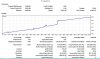
wich EA you are useing bro ????Thank you Tanaka.
This is 32 days testing, performing the same way in real account. Will send you coffee by 1st week of July after profit.
What EA?Thank you Tanaka
This is 32 days testing, performing the same way in real account. Will send you coffee by 1st week of July after profit.

- Credits
- 0

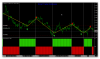
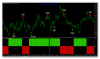
Hello dear Mr Tanaka, you can encode an EA With two indicators on the H4 timeframe, the first arrow as the starting one for the calculation, the bottom one with parameters 43 Green columns buy red sale is confirmation of arrows when both indicators show the same color. Exit when changing the color of the arrow.
I think these indicators are worthy of encoding them in EA Thank you!
I think these indicators are worthy of encoding them in EA Thank you!
Attachments
Last edited:
Sorry , too busy, pick up the better one.
biztet said: ↑
Sir Tanaka, please help me with this 2 post that you missed.
Only when you are less busy. I can wait a little longer. Thank you!
New request for EA.
https://soehoe.id/i-will-make-a-free-ea-with-your-indicator.t9801/page-768#post-312378
Problem regarding EA_MoneyMakerMe
https://soehoe.id/i-will-make-a-free-ea-with-your-indicator.t9801/page-775#post-312968
Thanks again.

- Credits
- 0
Master I dont understand how modify TP works => MODIFY TP TOGETHER.I dont understand. You want me to add hedge? Only hedge?
I placed two EA on EURUSD and after sometime I see all open trades have same TP.
what I need to do so that each EA keep its TP seprately????
These two EA I am using.
==================
Super Arrow revD3
Most Popular revC
==================
Can you update most popular with your latest template to see DD and auto magic etc.
Attachments

tanaka san, can you help me remote alert in this indicator GoodArrowIndicator.ex4?Is this alert from super arrow indi??
thank you!
Attachments
please you can share the set file .
Attachments
- Credits
- 0
I know but separate is not giving me good results... Modify option gives good result...
in FT and BT both options giving different results.
So the problem is that if I use two different EA with modify TP option for both and using EURUSD chart... then after sometime I see all open orders have same TP???
Is this normal?