Hello!
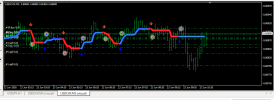
I have good stratege, that based on three indicstors. In attached files resalts of hand trading, technical task and indicators.
I am disabled person and have no for proramming. Becouse of that I ask you to help and create this expert.
The EA—ThreeIndicator_EA.mq4—is ready. To compile it, this file and the three indicator files (heiken-ashi-ma-t3-new-indicator.ex4, HILO_channel_jurik_BT.ex4, MA_ribbon_filled.ex4) must be in your MQL4/Indicators folder, while the EA itself goes into the MQL4/Experts folder.
Features implemented:
3 strategies that can be enabled/disabled independently (Strategy 1/2/3)
Separate on/off controls for closing rules (Ind1: opposite dot; Ind2: opposite color; Ind3: white/yellow cross)
Martingale (multiplier × N losing trades, then reset)
Settings for SL, TP, Lot size, and Slippage
Indicator 1 parameters (MaPeriod, Step)—these are 100% accurate as I found the source code for it
Parameters for Indicator 2 (HighLowPeriod) and Indicator 3 (MA1Period, MA2Period) are also included in the settings

Important note: Indicators 2 and 3 were only available as compiled (.ex4) files, not source code; therefore, their exact buffer numbers (identifying which buffer corresponds to the white/yellow line or the color/trend signal) cannot be determined without decompiling. I have made these buffers adjustable via inputs (Ind2_LineBuffer, Ind2_ColorBuffer, Ind3_WhiteBuffer, Ind3_YellowBuffer, etc.) so you can simply change the number to get it right without rewriting the code.
Verification method: Apply the indicator to the chart → Open the "Data Window" (Ctrl+D) and hover your mouse over a candle → Check the number for each line/dot → Enter that same number into the EA settings.
If you prefer, I can verify this myself—if you apply these indicators to a chart in MT4 and send me a screenshot (with the Data Window open), I will confirm the exact buffer numbers and correct the default settings.




 :-
:-