- Credits
- 5
You were rich in a few seconds.hahahaHahahaha
Even for this people will ask me what EA, time frame and set file hahahaha
Last edited:

You were rich in a few seconds.hahahaHahahaha
Even for this people will ask me what EA, time frame and set file hahahaha
Mr. Tanaka, please make an EA with this indicator. Observe the image in axexo!
Just look here:
https://www.mql5.com/en/market/product/19464
"Unfortunately, "Scalper Boss EA MT4" is unavailable"
Why not go on serious sites and inform yourself?

I attched pin bar EA.Yes Tanaka San, for EU I used new and for GU I used same candle means option as false because as my own strategy GU trades are profitable on same candle and EU on new.
I did settings properly and correctly as you know your settings I have learned by heart and can test any of your EA so there is no doubt that I will test my EA with wrong settings
Also EA should not take any order before cross as logic is cross and second logic is new or on same candle depending currency pair, if those will not meet, EA might take more wrong orders and may end up in martingale.
EA is highly profitable as you can see orders which were taken wrong even those hit TP, imagine if they were picked on as per right strategy, that could make more profit.
Also please that pinbar with correct arrow distance, can you please share the file as I downloaded all versions you shared but all of them are showing same, arrow on candle.
Maido Arigato
Hi, is this OK?Mr Tanaka Please help me make EA,
indicator FPS PriceReversalBand and Stockhastic 14-3-3 , LWMA, Close/Close, 80-20
TimeFrame m30 or h1 and can use other timeframe
1. If Candle touch upper line fpsreversalband and stockhastic 80= open sell
2. If Candle touch lower line fpsreversalband and stockhastic 20= open buy
ea use your ea template
Thanks bro
Here you go.Mr Tanaka. please upgrade this EA with your latest template
Here you go.Tanaka Akiko,
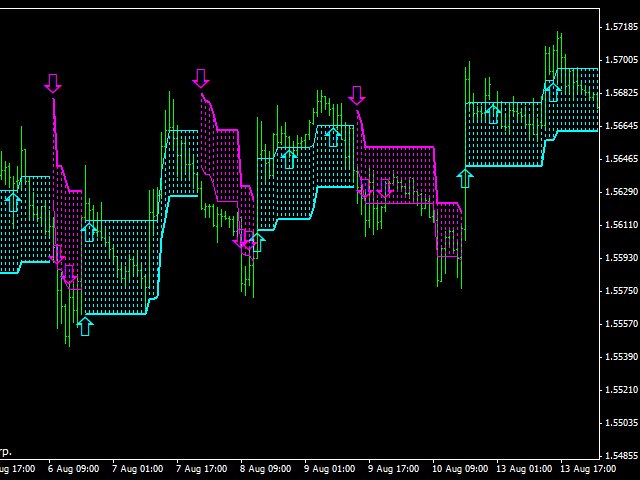
This Indicator needs Attention!!!
This is Omega Trend Indicator
i play manually with it and made profits on all Pairs.
Make an EA with it
https://www.mql5.com/en/market/product/29423
- It Does NOT Repaint
- It Has NOT Delay
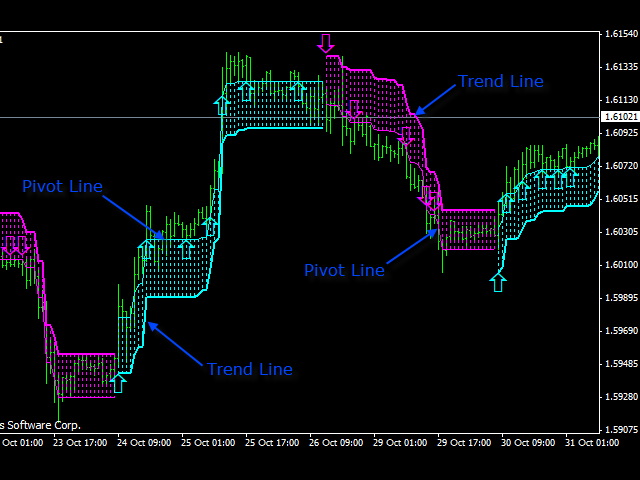
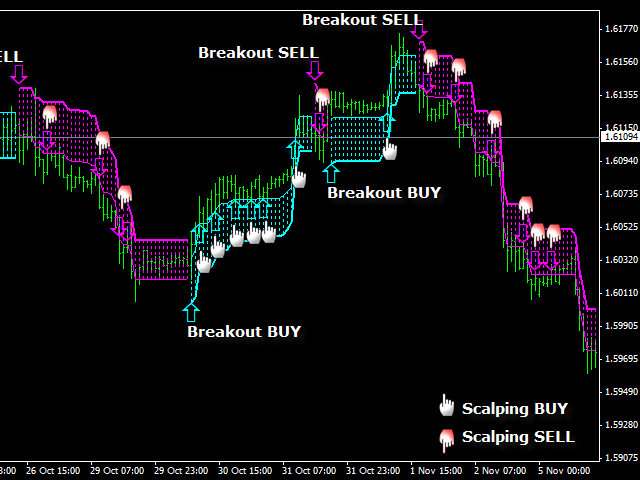

Hi、I checked with every tick backtest and confirmed the EMA10 & SMA50 line crossed.Dear tanaka akiko San, please check below picture in which you will see order was taken wrong on FT without any cross, also in another picture, you will see that max order 1 1 but almost 4 orders were taken on same candle and 1 on new candle on H4, should be only one order as per max order = 1 and on same candle up on cross for GBPUSD as per the settings.
View attachment 92151
View attachment 92152
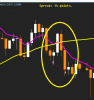
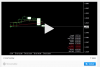
Hi, I have already coded before, right?.. pls.MR TANAKA .KINDLY ATTEND TO MR "BARRY" REQUEST.IS A VERY GOOD TRADING INDICATOR ON LONG TIME FRAME. IT WILL BE A GOOD E.A.
Here you go.Hi Mr Tanaka can you make an ea out of this indicator with sl and tp and time filter start hours end end hours thanks in advance
Hi, you don't need the indicator. Just attach EA on the chart.Hi Tanaka San,
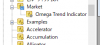
I have loaded the Omega Trend Indicator but the EA cannot load it? - get error message
Not sure what the problem is - anyone else get to work?
Y
Hi, you don't need the indicator. Just attach EA on the chart.

I will stop coding new EA from indicator , instead I will fix EA bug which I have coded before.
I want to focus on improvement work such as DD reduction from now.

hi Bro,Okay Mr Tanaka. Welcome back! We all missed you!
Kris, do you know why reverse function is not working on TitanX EA?
Oh, my god.The EA is loading on the Chart OK but calls for indicator when backtesting?

Oh, my god.
This indicator works in only MT4 which you have download from the MQL5 web site.

What is the problem? Any error?Hi Mr Tanaka,
Do you have a newer revision of TitanX EA (revA)?
Could you perhaps import TitanX EA into your newest template?
Kris hasn't responded, and I am not sure he can fix a programming issue.
Thank you kindly Sir.