would you mind giving us your mt4 instead of your .ex4 version after I went to put it on my demo, I copied it to my mt4 expert file. And then it wont show on my demo expert file. So I cant use it in its current state.A simple probability robot with training .Just put it on Demo and run it for 14 days, if there is a profit, then you can bet on real money.He trades gold with a small spread.The robot does not guarantee you a profit, so no complaints)

You are using an out of date browser. It may not display this or other websites correctly.
You should upgrade or use an alternative browser.
You should upgrade or use an alternative browser.
XauUsd M5 Superscalper source code
- Thread starter kakadut
- Start date
no work....thankПростой вероятностный робот с обучением.Просто поставьте его на демонстрацию и запустите в течение 14 дней, если есть прибыль, то вы можете делать ставки на реальные деньги. Он торгует золотом с небольшим спредом. Робот не гарантирует вам прибыль, так что никаких жалоб)
Thanks, but it wouldn't load on the chart, so it must be the terminal version. Can you fix this issue? Thanks, thanksWorks on MT4 with build 1473.Will not work until it is trained; monitor the training status on the information display — the message “training” will appear.
Ok Got it.....thanks for letting us know about the build problem. I will give it a shot and see what happens. Sounds cool.Works on MT4 with build 1473.Will not work until it is trained; monitor the training status on the information display — the message “training” will appear.
Nope cant get it to work. I am using the 1444 build of mt4 now. The mt4 wont take it. It allows me to put it in, but after refresh, still nothing.Ok Got it.....thanks for letting us know about the build problem. I will give it a shot and see what happens. Sounds cool.

This last training EA works on the tester M1.You have to change the EA name form russian to English before loading in the mt4 platform,Change it to something RobotEA-v6 or something similar.
Barras en el historial 22698
Ticks modelados 3785014
Calidad del modelado 25.00%
Errores de desalineación de gráficos 0
Depósito inicial 500.00
Spread Actual (22)
Beneficio neto total 127.42
Beneficio bruto 270.40
Pérdida bruta -142.98
Factor de beneficio 1.89
Beneficio esperado 0.35
Drawdown absoluto 5.40
Drawdown máximo 12.14 (2.36%)
Drawdown relativo 2.36% (12.14)
Total de transacciones 360
Posiciones cortas (% ganadoras) 233 (81.12%)
Posiciones largas (% ganadoras) 127 (88.19%)
Transacciones rentables (% del total) 301 (83.61%)
Transacciones no rentables (% del total) 59 (16.39%)
Mayor
transacción rentable 2.50
transacción no rentable -2.50
Media
transacción rentable 0.90
transacción no rentable -2.42
Número máximo
ganancias consecutivas (beneficio en dinero) 24 (26.08)
pérdidas consecutivas (pérdidas en dinero) 2 (-5.00)
Máx.
beneficio consecutivo (número de ganancias) 26.24 (22)
pérdidas consecutivas (número de pérdidas) -5.00 (2)
Promedio
ganancias consecutivas 5
pérdidas consecutivas 1
Barras en el historial 22698
Ticks modelados 3785014
Calidad del modelado 25.00%
Errores de desalineación de gráficos 0
Depósito inicial 500.00
Spread Actual (22)
Beneficio neto total 127.42
Beneficio bruto 270.40
Pérdida bruta -142.98
Factor de beneficio 1.89
Beneficio esperado 0.35
Drawdown absoluto 5.40
Drawdown máximo 12.14 (2.36%)
Drawdown relativo 2.36% (12.14)
Total de transacciones 360
Posiciones cortas (% ganadoras) 233 (81.12%)
Posiciones largas (% ganadoras) 127 (88.19%)
Transacciones rentables (% del total) 301 (83.61%)
Transacciones no rentables (% del total) 59 (16.39%)
Mayor
transacción rentable 2.50
transacción no rentable -2.50
Media
transacción rentable 0.90
transacción no rentable -2.42
Número máximo
ganancias consecutivas (beneficio en dinero) 24 (26.08)
pérdidas consecutivas (pérdidas en dinero) 2 (-5.00)
Máx.
beneficio consecutivo (número de ganancias) 26.24 (22)
pérdidas consecutivas (número de pérdidas) -5.00 (2)
Promedio
ganancias consecutivas 5
pérdidas consecutivas 1
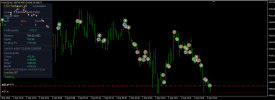
add code source , PleaseWorks on MT4 with build 1473.Will not work until it is trained; monitor the training status on the information display — the message “training” will appear.

Only BT, on live not good!backtest is great, need see on live
Thank!!!!! Carlo<Working with the program.Training.>
// Given a set of external (input) parameters, the program can be trained in two ways:
// A) As a result of preliminary testing on the Strategy Tester.
// To do this, you need to first load a sufficient amount of historical data,
// at least for a year, which can be done by opening the chart for the desired currency pair and holding down the Home key. Then open the View/Tester menu
// Strategies, and run the test with the exact testing model selected
// “for all ticks” (for more details on working with the Tester, see the built‑in
// MT4 platform manual).
// During the test, the Tester creates trade statistics files and
// writes them to the Tester/files folder. To work with a real account,
// it is enough to move them to the Experts/files folder.
// B) Training can also be carried out when launching the program in
// real‑time mode. In this case, the transaction statistics files are created immediately in the Experts/files folder. The accumulation of statistics for fictitious trades in real time does not happen quickly. It may take a week or more before the advisor collects a sufficient amount of information and opens the first position. At the same time, the statistics files quickly created by the Strategy Tester are not entirely satisfactory, as they are somewhat distorted by the errors that arise when the Tester simulates price movement within a bar. This is sufficient to demonstrate the algorithm’s functionality and present the program; however, running // the advisor on a real account with these statistics files involves a certain risk. Therefore, the optimal training method appears to be the following. The training files created by the Tester after testing on historical data should be considered a “first approximation.” They should be moved to the Experts/files folder, and the advisor should be run in real time on a demo account. The advisor can immediately make trades. However, the updated transaction statistics files will appear after some time (about a week for parameters set to the default values). Simply put, after switching from the Tester to a real account, the advisor needs to “settle in.” During this time, it adjusts the statistics files that were previously created by the Tester.
// <Retraining. The ReadHistory parameter.>
// If the program has been tested at least once on this symbol before, it is considered trained to work on this symbol, and the Tester/files folder contains statistics files. When run again on the Tester, the program reads information from the statistics files by default. Therefore, when changing the values of any input parameters, you must disable reading data from the statistics files. Otherwise, there will be a discrepancy between the old training results and the new input parameters, which may even cause the program to produce a negative result. The ReadHistory parameter is responsible for retraining the program. If ReadHistory=0 when the program is launched, the program deletes the previous statistics file and writes a new one in its place, corresponding to the new input parameters. If ReadHistory=1, the program reads the results of the previous training and uses them in its operation. If ReadHistory=1 and no statistics file is found, the program logs a file reading error (this is normal), creates the necessary files, and writes information to them in the same way as when launching with ReadHistory=0.
// <Other parameters.>
// - Probab – the required probability of winning, based on statistical data. The closer Probab is to one, the more likely it is to achieve a win if a position is opened. However, market situations with a guaranteed win are rare.
// Therefore, to actually achieve a win, the user must allow for a certain level of risk. Thus, the advisor is not a machine for consistently generating money. The user is aware of the investment risk and independently sets the probability of losing. The specified probability of losing is zero when Probab=1; in this case, the advisor will never open a position;
// - forg – the rate at which learning results are forgotten. From 1 (no forgetting) to 1.1 (strong forgetting). This parameter is useful if you need to give more statistical weight to recent trades. It is known that the market changes over time. This is reflected, for example, in the fact that market situations that were traditionally favorable for a Buy position last year may turn out to be favorable for a Sell position in the new year. If forg=1 is set,
// the program considers market situations realized in the past and in the new year to be quite equal. Taking into account the required
// probability of a positive closure (Probab), this leads to the program searching for long‑term stable trends. At the same time,
// it ignores obvious signs of the emergence of new trends. On the contrary,
// when forg>1, the program, along with long‑term trends that were active throughout the entire available history, also tracks the emergence of new trends. When a new market situation arises, the statistical weight of previous similar market situations is reduced by forg times. In other words, with forg=1.05, the forgetting of history “halfway” occurs when 10–15 similar price combinations appear;
// - dstop = TakeProfit = StopLoss. In the current version of the program, the profit limit is always set to be equal to the loss limit. However, the program can close positions without waiting for the stops to be reached.
// - delta – minimum
No, same Bot and not good!HULI new EA ??
- Credits
- 5
Igor500000000
New Member
- Credits
- 6
Hi everyone. Has anyone installed the version from post #18 on a live account yet?