
- Credits
- 77
Last edited:

 Step 1 — Install & Connect (MT5 + Telegram) Allow WebRequest → add:
 api.telegram.org
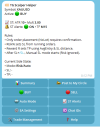
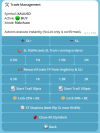
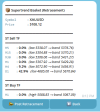
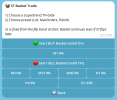
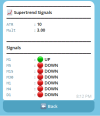
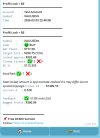
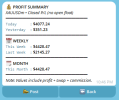
Basket layering (multiple orders) Risk-based SL / Supertrend SL (depending on mode) Reward (R) Take Profit Profit Lock + Break-Even steps (1st / 2nd / 3rd / 4th) Clean reports + optional posting to your Circle MT5 installed (PC/VPS recommended for 24/7 running) Broker account (Demo or Real) Stable internet connection Telegram account Telegram Bot Token (from @BotFather) Your broker symbol name (example: XAUUSDm / BTCUSDm) so settings match your point size/spread
api.telegram.org
Basket layering (multiple orders) Risk-based SL / Supertrend SL (depending on mode) Reward (R) Take Profit Profit Lock + Break-Even steps (1st / 2nd / 3rd / 4th) Clean reports + optional posting to your Circle MT5 installed (PC/VPS recommended for 24/7 running) Broker account (Demo or Real) Stable internet connection Telegram account Telegram Bot Token (from @BotFather) Your broker symbol name (example: XAUUSDm / BTCUSDm) so settings match your point size/spread

